Texture EQ
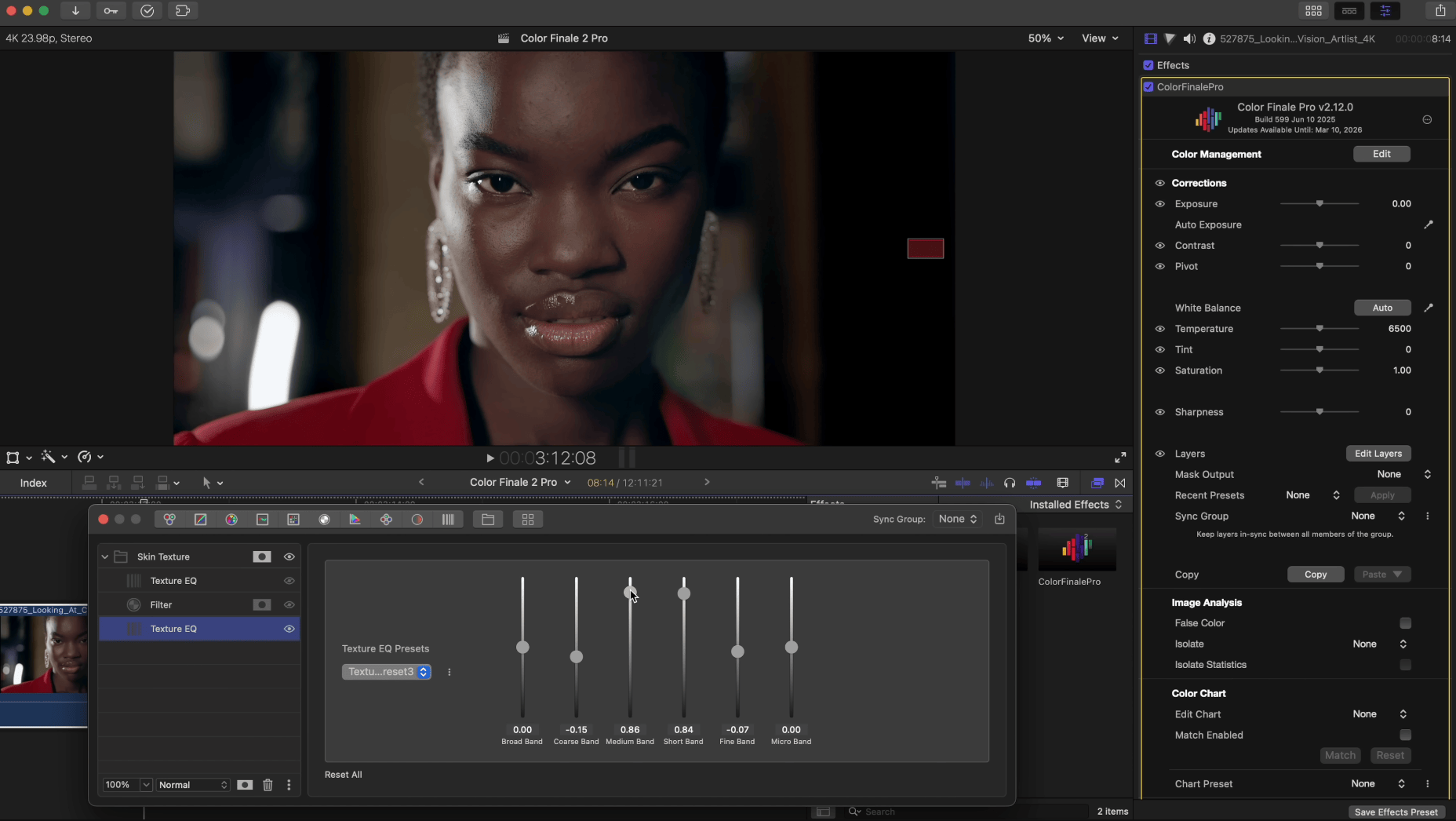
Texture EQ provides parametric equalization of image texture at different frequency bands. It works like an audio equalizer, but for image detail — allowing you to boost or suppress texture at specific scales independently.
The filter decomposes the image into six frequency bands using multi-scale Gaussian blur, then lets you adjust the gain of each band. This gives you surgical control over image detail, from broad structural features down to the finest skin texture.
Frequency Bands
Six sliders control different scales of image detail, from largest to smallest:
- Broad — the largest-scale texture and structural detail
- Coarse — coarse texture and mid-scale detail
- Medium — medium-scale texture
- Small — small detail and fine texture
- Fine — fine detail such as skin pores and fabric weave
- Micro — the finest pixel-level detail
Each slider’s center position (default) means no change. Move a slider to the right to boost that frequency band, enhancing texture at that scale. Move it to the left to suppress detail, creating a smoother appearance at that scale.
Creative Uses
- Skin retouching — suppress the Fine and Micro bands to smooth skin texture while preserving larger facial features and overall structure
- Detail enhancement — boost the Small and Fine bands to bring out texture in landscapes, architecture, or product shots
- Stylized looks — suppress Broad while boosting Fine to create a flat-lit, highly detailed look, or boost Broad while suppressing Fine for a soft, painterly effect
- Sharpening alternative — unlike the Sharpness slider in Corrections, Texture EQ gives you independent control over which scales of detail are sharpened, avoiding the halos and artifacts that can result from global sharpening